

STS 300 Replacement Parts
Circuit Boards
STS replacement circuit boards are available for direct replacement of damaged boards in the STS 300 Ground Monitoring System. Boards must be specified by voltage: 12 VDC, 24 VDC, 120 VAC or 240 VAC. Some retrofit capability to older STS 300 Series models is possible; contact STS to confirm for your unit.
Choosing the right board
Match the board to the voltage on the nameplate on the front cover of your STS 300, and to whether your system has the deadman option.
| Part number | Voltage | Grounding system | Option |
|---|---|---|---|
| CH-12 | 12 VDC | G12 | None |
| CH-12DM | 12 VDC | G12 | Deadman |
| CH-24 | 24 VDC | G24 | None |
| CH-24DM | 24 VDC | G24 | Deadman |
| CH-120 | 120 VAC | G2 | None |
| CH-120DM | 120 VAC | G2 | Deadman |
| CH-240 | 240 VAC | G4 | None |
| CH-240DM | 240 VAC | G4 | Deadman |
Important: for AC systems, do not connect a 240 VAC power source to a 120 VAC rated board. This opens a non-replaceable safety fuse and disables the unit entirely.
When to replace the board
The STS 300 troubleshooting table lists fault or damage in the controller wiring or PCB as a possible cause of no lights. The maintenance schedule includes checking that the PCB is free from corrosion or water damage and that its mounting screws are properly installed.
Installation
Switch off power and lock out the system first. The board sits inside the enclosure, secured by four corner screws. The clamp cable connects to terminal P2, the integrity ground cable to P3, power to terminals 1 and 2, and the lamp wires to terminals 2, 3 and 4. Full steps are in the circuit board replacement instructions (PDF).
Compatible products
FAQ
Will a new board fit my older STS 300?
Some retrofit capability to older STS 300 Series models is possible. Contact STS with your model number to confirm.
How do I know which voltage I need?
The supply voltage is marked on the nameplate on the front cover. The second part of the model number also shows it: G2 is 120 VAC, G4 is 240 VAC, G12 is 12 VDC and G24 is 24 VDC.
Not sure which part fits your unit? Request a quote with your STS 300 model number and STS will confirm the part.
-
 Click to Expand
Circuit Board
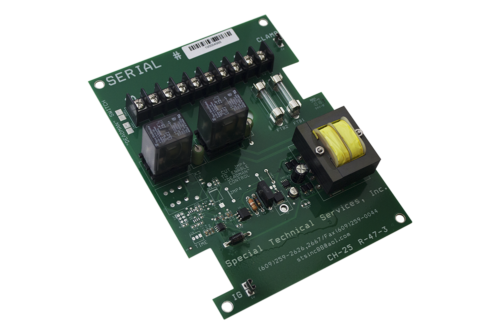
| Part Number | Voltage | Grounding System | Options |
|---|---|---|---|
| Part Number CH-12 | Voltage 12 DC | Grounding System G12 | Options None |
| Part Number CH-12DM | Voltage 12 DC | Grounding System G12 | Options Deadman |
| Part Number CH-24 | Voltage 24 VDC | Grounding System G24 | Options None |
| Part Number CH-24DM | Voltage 24 VDC | Grounding System G24 | Options Deadman |
| Part Number CH-120 | Voltage 120 VAC | Grounding System G2 | Options None |
| Part Number CH-120DM | Voltage 120 VAC | Grounding System G2 | Options Deadman |
| Part Number CH-240 | Voltage 240 AC | Grounding System G4 | Options None |
| Part Number CH-240DM | Voltage 240 AC | Grounding System G4 | Options Deadman |
Clamp Repair Kits
STS clamp repair kits restore damaged or worn parts on the K78160A and K78160ASRS aluminum grounding clamps used with the STS 300 Ground Monitoring System. Rebuilding a clamp with the matching kit returns it to service without replacing the full cable and clamp assembly.
Which kit do you need?
| Part number | Fits | Contents |
|---|---|---|
| RK-1 | K78160A grounding clamp | Stainless steel contact points and all electrical connection hardware |
| RK-2 | K78160ASRS grounding clamp (strain release) | Contact points, all electrical connection hardware, strain release cable and hardware |
| RK-3 | K78160A and K78160ASRS grounding clamps | Spring repair kit |
For the strain release alone, see the Strain Release Repair Kit (RK-4).
About the clamps
The K78160A is cast from aluminum, since non-ferrous metals will not generate a spark when struck, and uses stainless steel binding points that hold the clamp on the surface without slipping. It is commonly used on tanker trucks, railcars, barges and large vats. The K78160ASRS adds a strain release feature in case the operator forgets to detach the clamp before the vehicle departs.
When to rebuild a clamp
The STS 300 installation and operating manual (PDF) lists clamp condition among the causes of incorrect readings. A red light while attached can mean the stainless steel points are not making contact with the metal surface. A green light while not attached can mean the points are set at improper depth and touching, or the isolating washer is missing or damaged. The maintenance schedule includes checking that clamp points are not worn or corroded, that the clamp brass screw is free from corrosion, and that the clamp point insulators are not damaged.
Compatible products
FAQ
Can a clamp be repaired in the field?
Yes. Every component in the STS 300 is replaceable, and the clamp kits contain the parts needed to rebuild the clamp.
Do these kits fit other STS clamps?
RK-1, RK-2 and RK-3 are listed for the K78160A and K78160ASRS. For a Dual Ball Connector, use the RK-7 repair kit.
Not sure which part fits your unit? Request a quote with your STS 300 model number and STS will confirm the part.
-
Click to Expand
RK-1
-
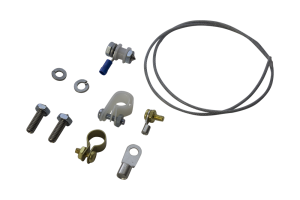 Click to Expand
RK-2 Grounding Clamp Repair Kit

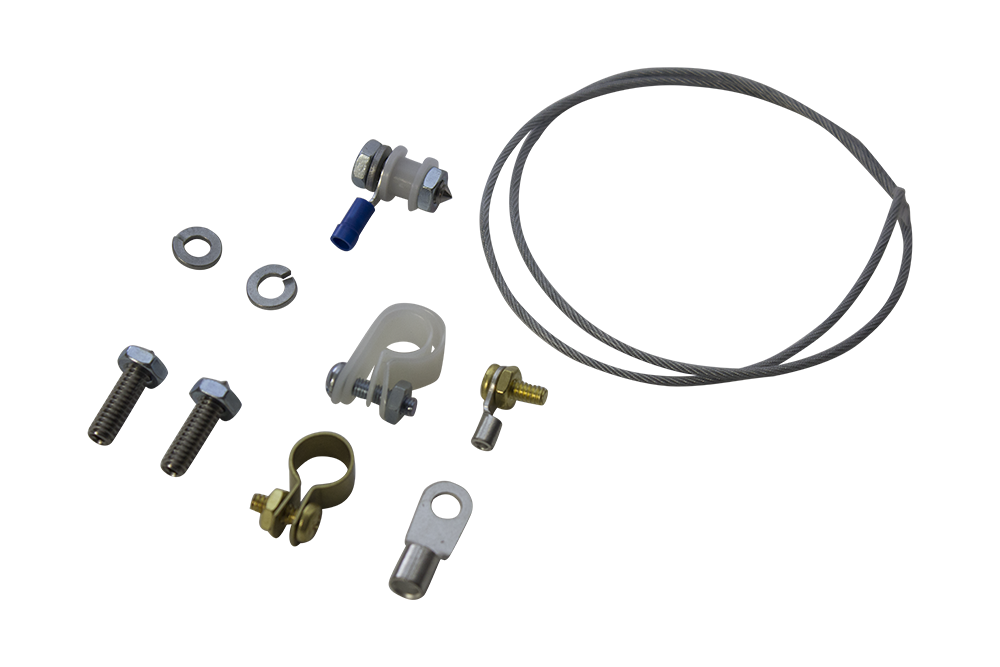
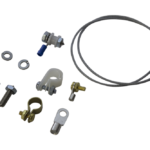
| Part Number | Description |
|---|---|
| Part Number RK-1 | Description Repair kit for K78160A Grounding Clamp |
| Part Number RK-2 | Description Repair kit for K78160ASRS Grounding Clamp |
| Part Number RK-3 | Description Spring repair kit for K78160A & K78160A-SRS Grounding Clamp |
Phenolic Insulator
Phenolic Insulator — Part #K78166
Part #K78166 is the OEM phenolic insulator that connects the grounding cable to the circuit board inside an . It’s molded from phenolic, a rigid thermoset that insulates well and shrugs off heat, so the connection stays clean and the monitor keeps reading the ground path correctly.
The kit has what you need for a field repair: the white phenolic insulator and nut, the brass cable connector, and the internal wiring. It fits both styles of , so you don’t have to match cable generations.
Replace it when the connector cracks, the insulator chips, or the monitor starts giving intermittent or failed readings that point to the cable-to-board connection and not the clamp. Phenolic is the material here for a plain reason: it takes daily clamp handling without cracking or going conductive.
| Spec | Detail |
|---|---|
| Part number | K78166 |
| Material | White phenolic (thermoset) insulator + nut |
| Includes | Phenolic insulator, nut, brass cable connector, internal wiring |
| Compatibility | Both styles of STS grounding cable |
| Dimensions | 2.5 × 4.5 × 0.875 in |
| Weight | 0.112 lbs |
| Made in | Budd Lake, NJ, USA |
Phenolic Spacers, Bushings and Inserts
The same material turns up under different names depending on shape and job. A phenolic spacer holds a set distance between two conductive parts. A phenolic bushing lines a hole so a stud or cable passes through without touching the surrounding metal. A phenolic insert is pressed or molded into a larger assembly. Part #K78166 is the bushing-style insulator used in STS 300 monitors, and it ships with the nut and brass connector for that job. If your drawing calls for a phenolic spacer or insert in another size, contact us with the dimensions and we will confirm whether an STS part matches.
Not sure which part you need? or with your system’s part number. It’s one of several we stock for STS 300 systems.
Frequently Asked Questions
What is a phenolic insulator?
A phenolic insulator is a part molded from phenolic resin, a thermoset plastic that resists heat and doesn’t conduct electricity. In an STS 300, it connects the grounding cable to the circuit board and keeps that junction isolated.
Is a phenolic insulator the same as a phenolic bushing?
For this part, yes. “Phenolic bushing” and “phenolic insulator” describe the same insulating connector. STS Part #K78166 fits both styles of STS grounding cable.
How do I replace the phenolic insulator on an STS 300?
Replace it when the connector is cracked or the readings turn intermittent. The K78166 kit includes the insulator, nut, brass connector, and wiring, and it connects the grounding cable to the circuit board.
Will it fit my STS grounding cable?
Yes. Part #K78166 works with both styles of STS grounding cable.
-
Click to Expand
Phenolic Stud
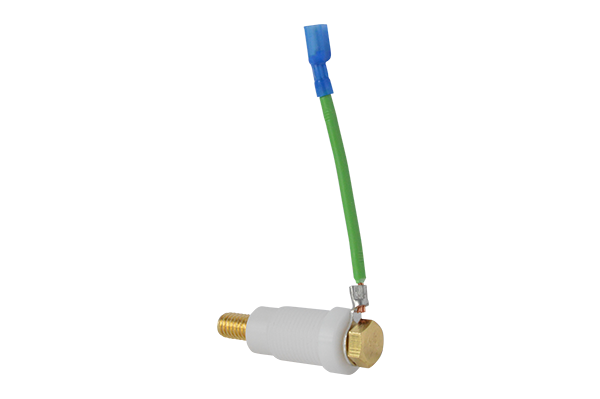
- Prevents particulates from entering or exiting the enclosure
- Electrical insulator
Lamp Assemblies
STS lamp assemblies are the red and green indicator lights on the STS 300 Ground Monitoring System. They are available for all STS 300 Series models and are compatible with both LED and incandescent bulbs. Bulbs are sold separately.
What the lamps do
The indicator lamps are how the operator reads the grounding status. A green light shows that a proper ground connection has been made and the controller is permissive. A red light shows that a good ground is not verified and the operation should not begin. If both lights are off, the system has no power and is non-permissive.
When to replace a lamp assembly
Replace the complete assembly when the lamp body is damaged. If only the colored lens is cracked, a lens cap can be replaced on its own, and a burned-out bulb can be replaced with a light bulb. Installing a lamp assembly requires removing the enclosure cover, so switch off power and lock out the system first. Step-by-step instructions are in the lamp assembly installation instructions (PDF), which cover both versions of the circuit board.
Part numbers
| Part number | Description | Color |
|---|---|---|
| ST-1-GA | Complete lamp assembly | Green |
| ST-1-RA | Complete lamp assembly | Red |
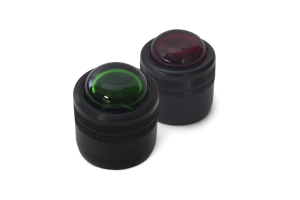
| ST-1-GC | Lens cover only | Green |
| ST-1-RC | Lens cover only | Red |
Installation notes from STS: the lamp screws into the socket so that 6 threads are inside, the nut is tightened to compress the rubber gasket against the socket face, and the 14 cover bolts are tightened to 11 ft-lb.
Compatible products
- Light Bulbs (LED or incandescent)
- Lens Caps
- Circuit Boards
- STS 300 Ground Monitoring System
FAQ
Are bulbs included with the lamp assembly?
No. Bulbs are sold separately. The assemblies accept both LED and incandescent bulbs.
Will these fit an older STS 300?
The lamp assemblies are available for all STS 300 Series models.
Which side does each color go on?
Red is on the left and green is on the right. Installing the lens caps on the wrong sides is listed in the STS 300 troubleshooting table as a cause of a green light showing when the system is not attached.
Not sure which part fits your unit? Request a quote with your STS 300 model number and STS will confirm the part.
-
Click to Expand
Replacement Lamp Assemblies for STS 300
-
 Click to Expand
Replacement Lens Caps for STS 300 Lamp Assemblies
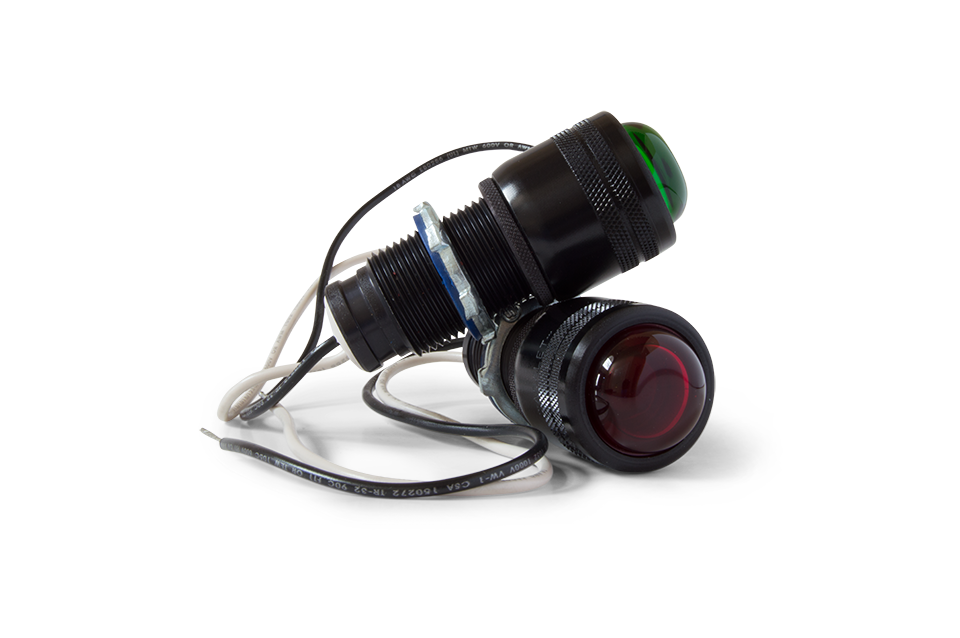
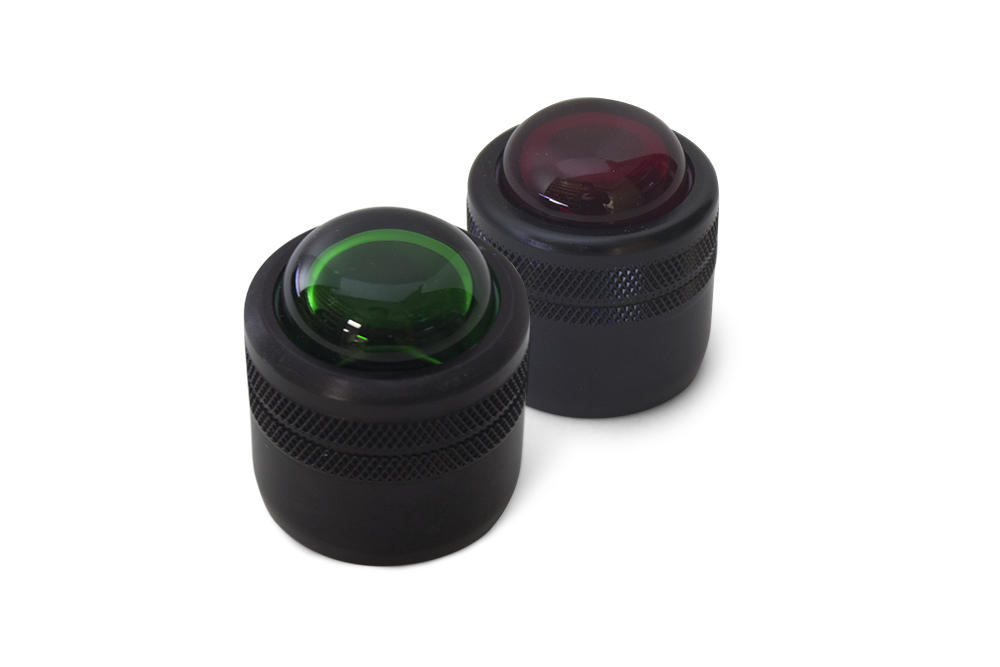
| Part Number | Description | Color |
|---|---|---|
| Part Number ST-1-GA | Description Complete Lamp Assembly | Color Green |
| Part Number ST-1-GC | Description Lens Cover Only | Color Green |
| Part Number ST-1-RA | Description Complete Lamp Assembly | Color Red |
| Part Number ST-1-RC | Description Lens Cover Only | Color Red |
Light Bulbs
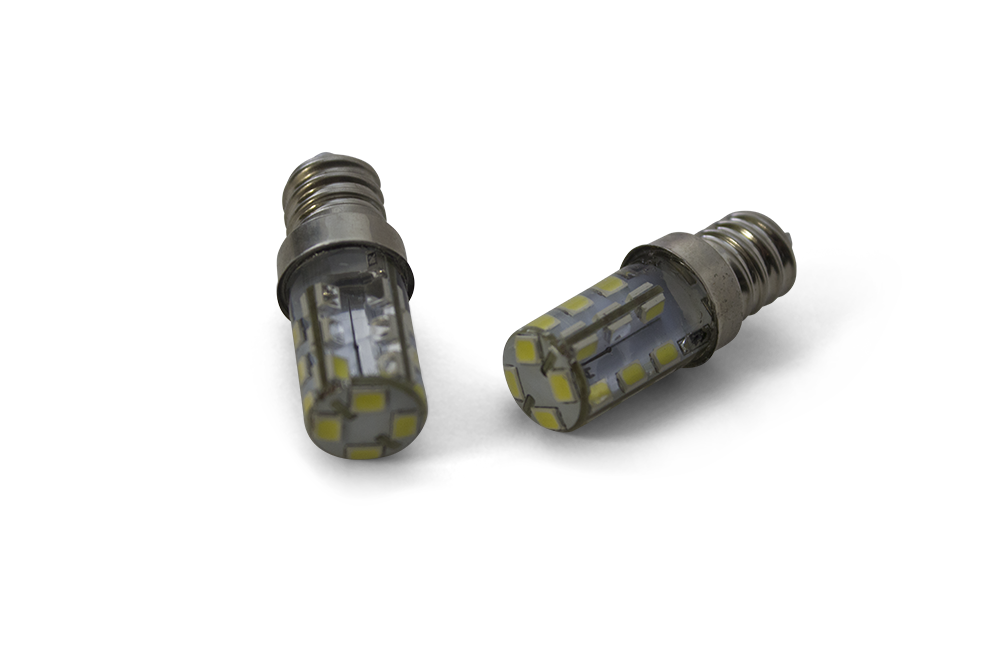
Incandescent and LED bulbs are available for spares or direct replacement in the indicator lamps of the STS 300 Ground Monitoring System. Specify the voltage of your system (12 VDC, 24 VDC, 120 VAC or 240 VAC) and the bulb type. The lamp assemblies accept both LED and incandescent bulbs.
Part numbers
| Part number | Voltage | Type | Color |
|---|---|---|---|
| BL-120W | 120 VAC | LED | White |
| BL-240W | 240 VAC | LED | White |
| BL-DC | 12/24 VDC | LED | White |
| BI-12 | 12 VDC | Incandescent | Clear |
| BI-24 | 24 VDC | Incandescent | Clear |
| BI-120 | 120 VAC | Incandescent | Clear |
| BI-240 | 240 VAC | Incandescent | Clear |
The DC LED bulb, BL-DC, can be used in both 12 VDC and 24 VDC systems.
When to replace a bulb
A burned-out bulb is one of the listed causes of no lights on an STS 300. Because the indicator lights tell the operator whether a transfer may begin, the STS 300 maintenance schedule includes verifying that the red lamp is on and the green lamp is off when source voltage is applied, and that the lights switch when a ground connection is made. Keeping spare bulbs on hand shortens downtime when a lamp fails.
Tip from the STS 300 installation and operating manual (PDF): an optional power on/off switch, rated for the environmental conditions, can be installed to disconnect power to the unit while not in use. This extends the life of the indicating bulbs.
Compatible products
FAQ
LED or incandescent?
Both are available, and the lamp assemblies accept either. LED lamps are the most commonly selected option on the STS 300.
Can I use one DC bulb for both 12 V and 24 V systems?
Yes. The BL-DC LED bulb is rated for 12/24 VDC.
Not sure which part fits your unit? Request a quote with your STS 300 model number and STS will confirm the part.
-
Click to Expand
DC LED replacement Bulbs
| Part Number | Voltage | Type | Color |
|---|---|---|---|
| Part Number BL-120W | Voltage 120 VAC | Type LED | Color White |
| Part Number BL-240W | Voltage 240 VAC | Type LED | Color White |
| Part Number BL-DC | Voltage 12/24 VDC | Type LED | Color White |
| Part Number BI-12 | Voltage 12 VDC | Type Incandescent | Color Clear |
| Part Number BI-24 | Voltage 24 VDC | Type Incandescent | Color Clear |
| Part Number BI-120 | Voltage 120 VAC | Type Incandescent | Color Clear |
| Part Number BI-240 | Voltage 240 VAC | Type Incandescent | Color Clear |
